Mixed A/P Account Rule
The Mixed A/P Account rule flags vendor payments that apply to documents posting to more than one Accounts Payable (A/P) account. NetSuite doesn't allow this — a VendorPayment supports a single header A/P account — so a mixed-A/P vendor payment will fail on push.
The push error
If a mixed-A/P vendor payment reaches a push attempt, the push fails with an error like this on the vendor-payment record in SuiteMigration:

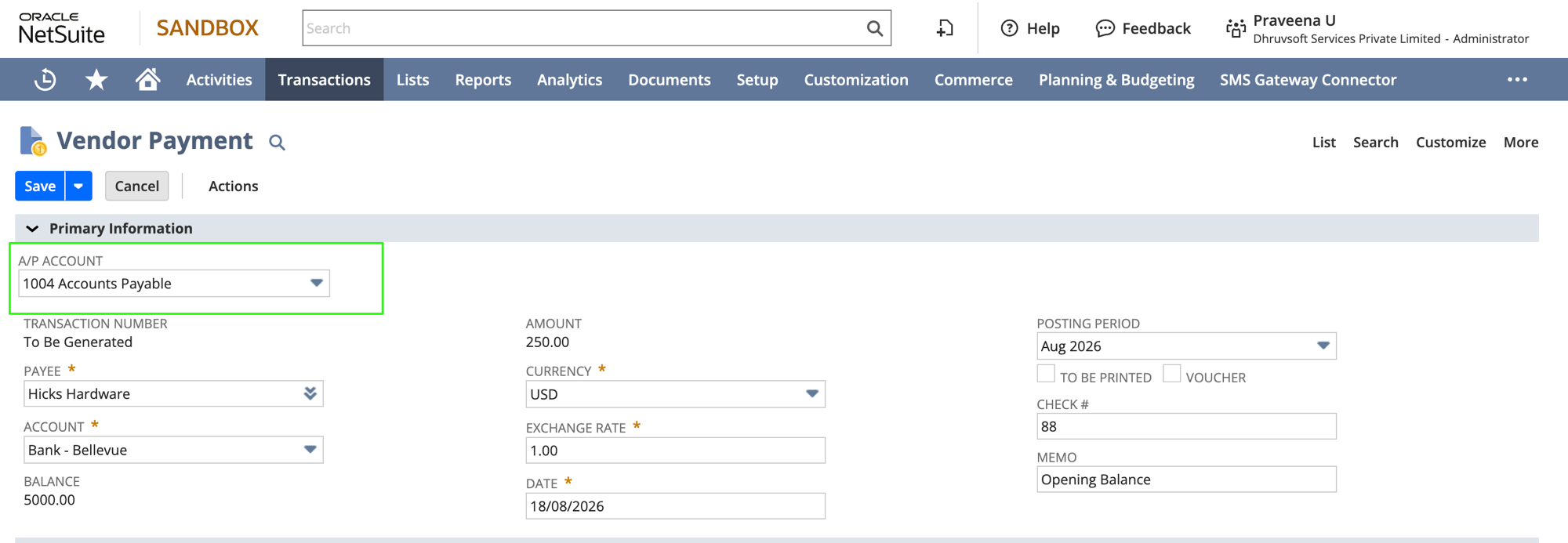
In NetSuite a VendorPayment has one header A/P account, and it can only apply to bills and journal entries that post to that same A/P account. That single header field is set on NetSuite's Make Payment screen:
A concrete example
Here's what a flagged vendor payment looks like in SuiteMigration. The Related Transactions section on the record lists the two applied documents, each posting to a different A/P account:

Because the vendor payment applies to both documents, and each posts to a different A/P account, NetSuite rejects the push with the "applies documents posting to multiple A/P accounts…" error shown above.
How to fix a flagged vendor payment
The fix has to happen in the source system. Split the mixed vendor payment into separate vendor payments in QBO — one per A/P account.
-
On the flagged vendor-payment record in SuiteMigration, click Open in QuickBooks Online.

-
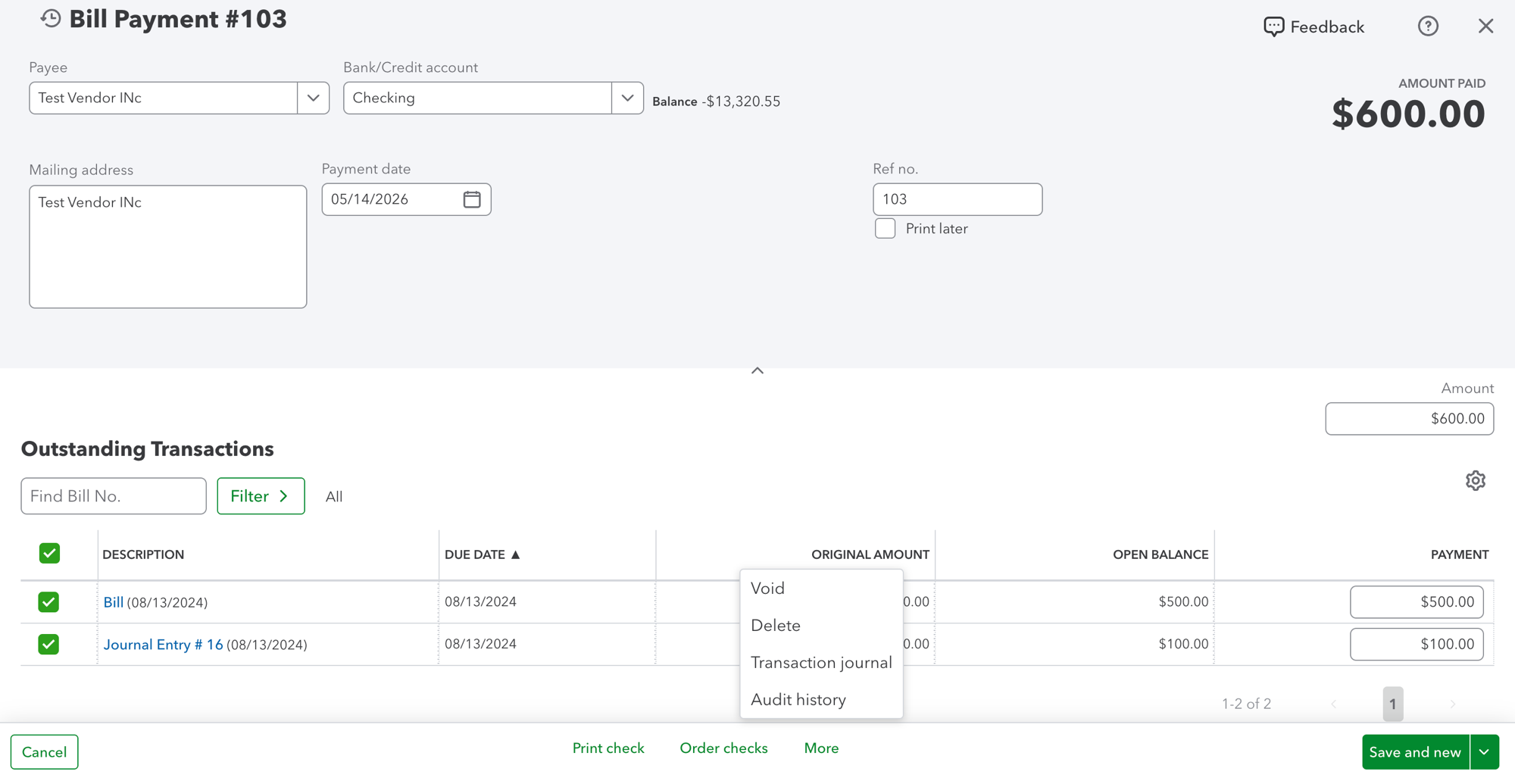
In QBO, delete the existing bill payment.
-
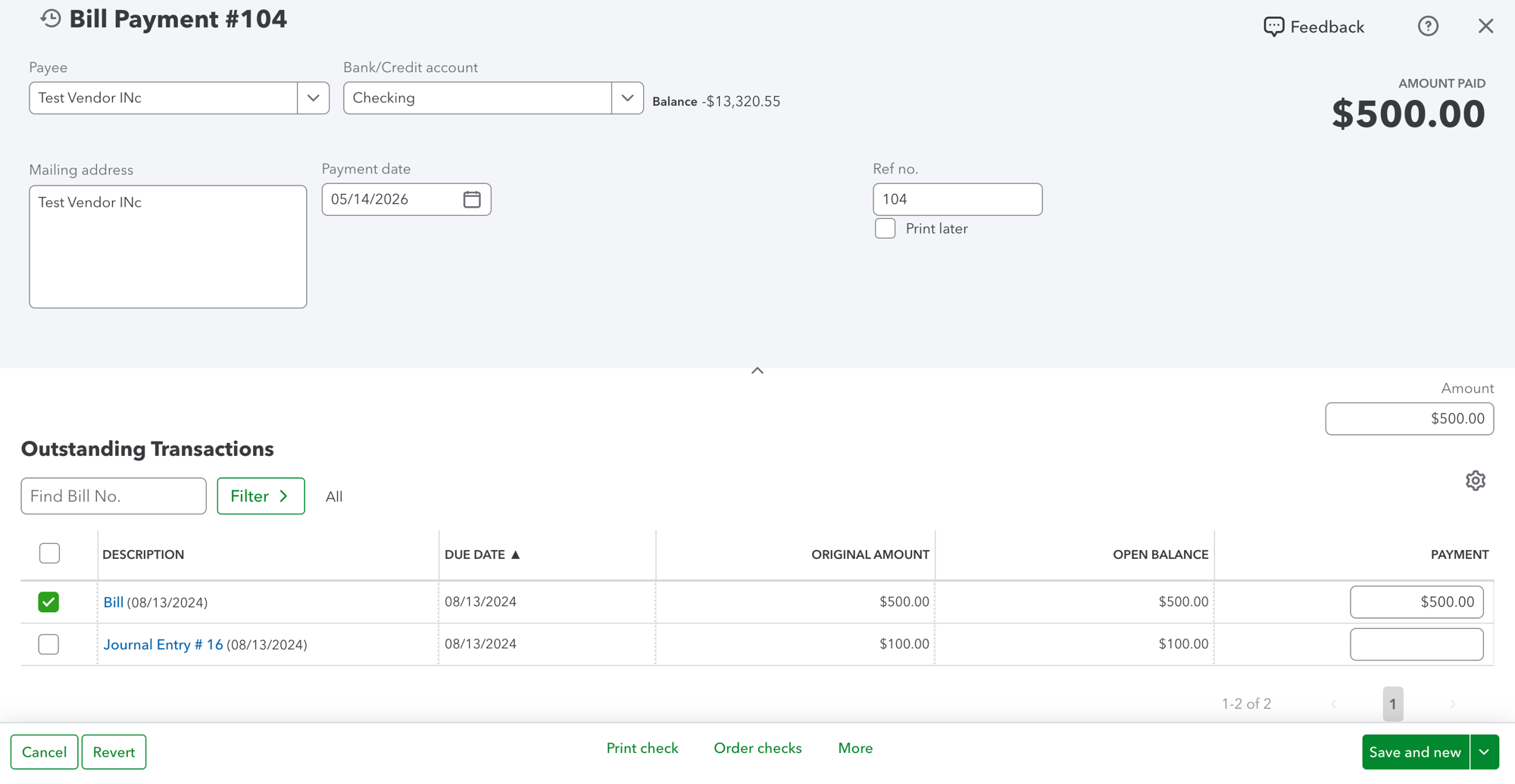
Create a new Bill Payment in QBO applying only the documents that share the first A/P account.
-
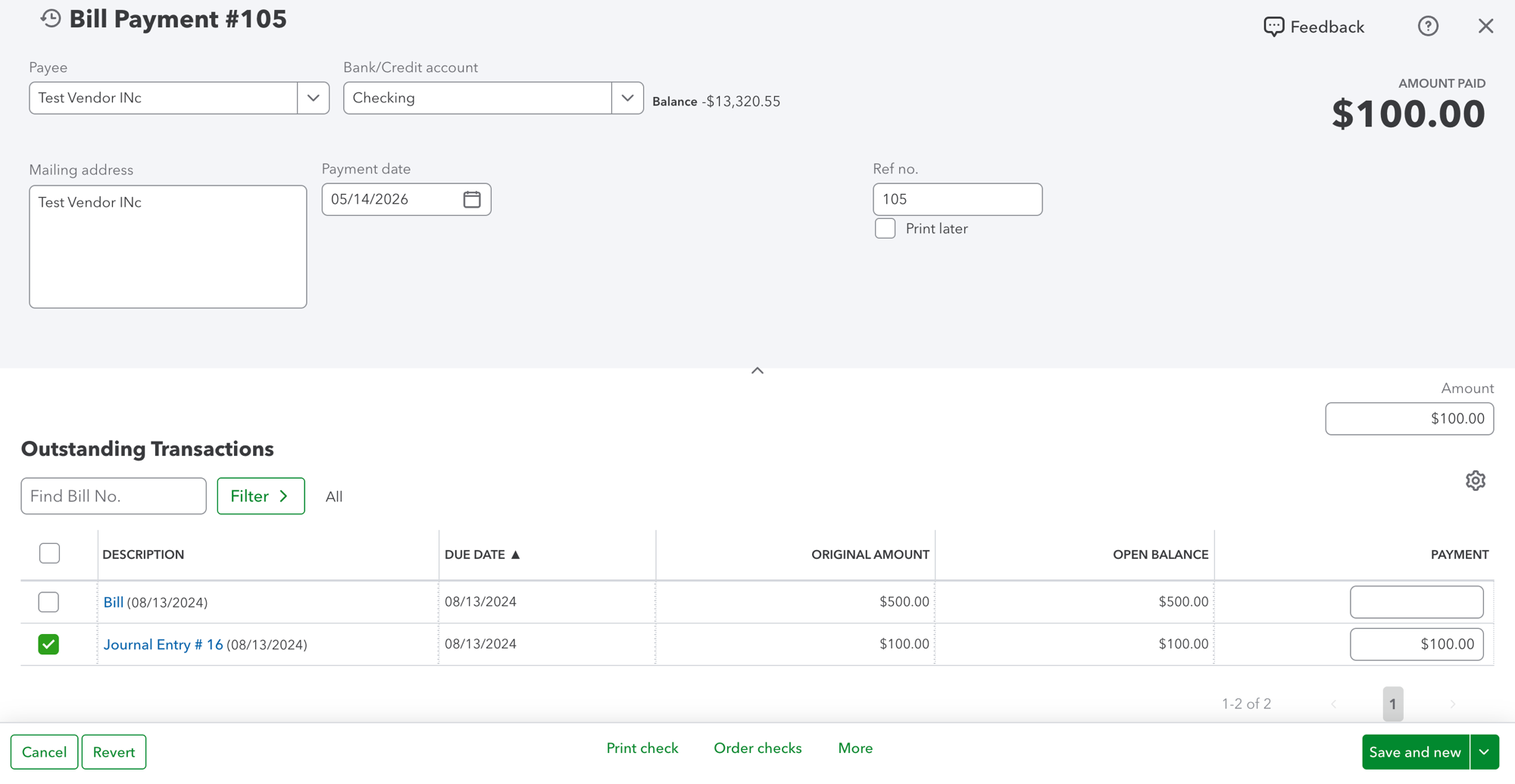
Create a second Bill Payment in QBO for the remaining document(s) that share the second A/P account.
-
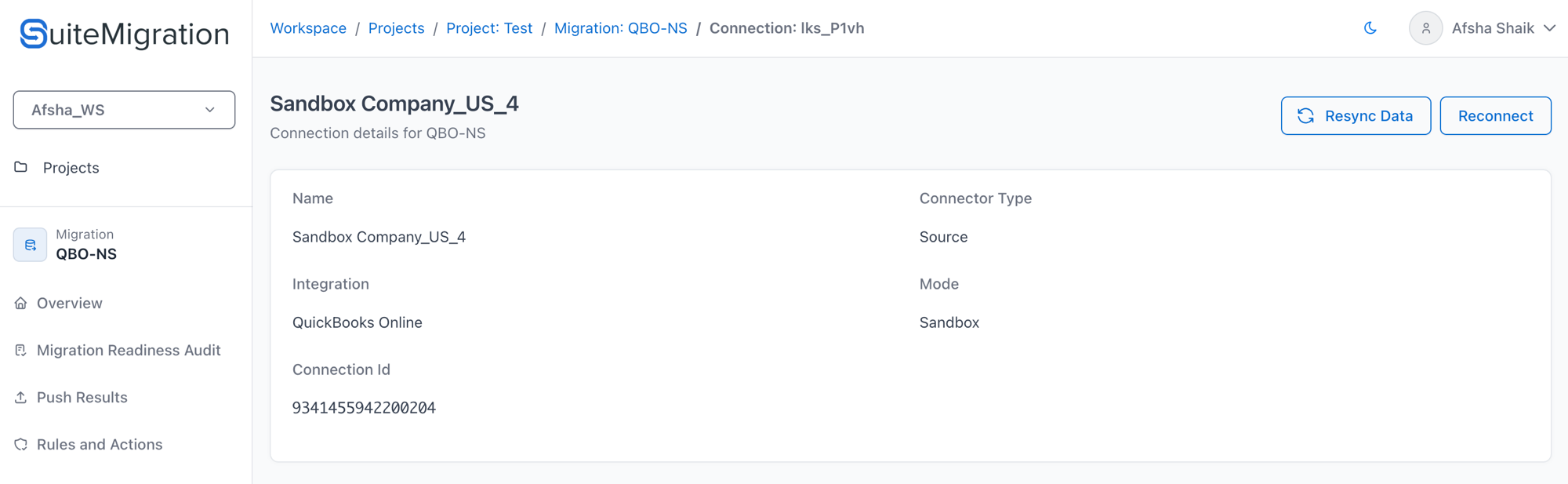
In SuiteMigration, open the source connection and click Resync Data. This triggers a full sync so the deleted payment drops off and the two new vendor payments land.
-
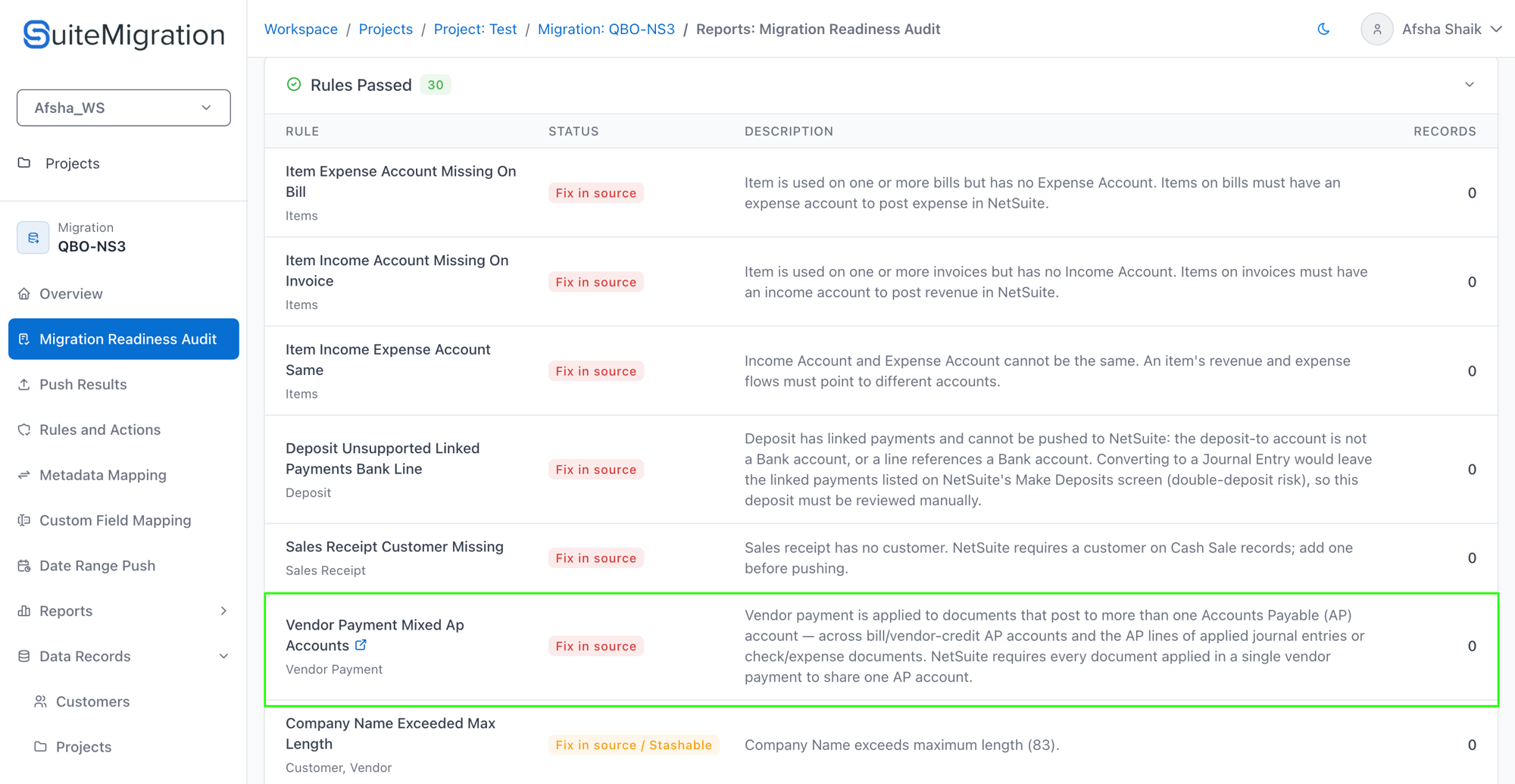
Re-run the Migration Readiness Audit. The rule should now show Passed for these payments.
-
Push again. The two new vendor payments should now succeed.
Related rule — Mixed A/R Account
The customer-payment side of this same story is the Mixed A/R Account Rule. It uses the same logic against A/R accounts (invoice/credit-memo headers plus A/R lines on JEs, checks, cash expenses, and credit card charges/refunds) — with one extra requirement: the Default A/R Account project setting has to be set before the rule can run.